02
Dashboard Redesign
Project Management Dashboard is a redesigned workspace that brings clarity and structure to managing tasks, teams, and timelines. It simplifies collaboration, streamlines communication, and helps teams stay aligned throughout the project lifecycle.
Project Management Dashboard is a redesigned workspace that brings clarity and structure to managing tasks, teams, and timelines. It simplifies collaboration, streamlines communication, and helps teams stay aligned throughout the project lifecycle.
Project Management Dashboard is a redesigned workspace that brings clarity and structure to managing tasks, teams, and timelines. It simplifies collaboration, streamlines communication, and helps teams stay aligned throughout the project lifecycle.
Role
Role
Role
UX/UI Designer
UX/UI Designer
UX/UI Designer
Timeline
Timeline
Timeline
3 weeks
3 weeks
3 weeks
Team
Team
Team
1 designer, 1 product manager, 2 developers
1 designer, 1 product manager, 2 developers
1 designer, 1 product manager, 2 developers
Overview
Overview
I redesigned the core dashboard of a task and project management platform. The product is used daily by cross-functional teams to plan, prioritize, and track work. The redesign aimed to improve task clarity, navigation logic, and create a consistent and scalable visual language.
I redesigned the core dashboard of a task and project management platform. The product is used daily by cross-functional teams to plan, prioritize, and track work. The redesign aimed to improve task clarity, navigation logic, and create a consistent and scalable visual language.
I redesigned the core dashboard of a task and project management platform. The product is used daily by cross-functional teams to plan, prioritize, and track work. The redesign aimed to improve task clarity, navigation logic, and create a consistent and scalable visual language.
About the company
About the company
The client is a fast-growing B2B SaaS startup that offers a lightweight project management tool tailored to small and mid-sized teams. Their product helps distributed teams organize projects, assign tasks, share files, and collaborate in real-time. Over time, the interface had become overloaded and inconsistent, which impacted both new user onboarding and daily productivity.
Their user base includes project managers, team leads, and team members who switch between views like task lists, timelines, team rosters, file libraries, and discussion threads.
The client is a fast-growing B2B SaaS startup that offers a lightweight project management tool tailored to small and mid-sized teams. Their product helps distributed teams organize projects, assign tasks, share files, and collaborate in real-time. Over time, the interface had become overloaded and inconsistent, which impacted both new user onboarding and daily productivity.
Their user base includes project managers, team leads, and team members who switch between views like task lists, timelines, team rosters, file libraries, and discussion threads.
The client is a fast-growing B2B SaaS startup that offers a lightweight project management tool tailored to small and mid-sized teams. Their product helps distributed teams organize projects, assign tasks, share files, and collaborate in real-time. Over time, the interface had become overloaded and inconsistent, which impacted both new user onboarding and daily productivity.
Their user base includes project managers, team leads, and team members who switch between views like task lists, timelines, team rosters, file libraries, and discussion threads.
Challenge
Challenge
The platform had grown organically, but without a clear design system. As a result:
Users often struggled to understand priorities
Task views were cluttered and hard to scan
Inconsistent UI components confused navigation
Visual hierarchy didn’t match the importance of content
Limited differentiation between personal, team, and priority tasks
The key challenge was to rethink and modernize the core dashboard experience without alienating existing users. While the UI needed a major overhaul, the underlying workflows and mental models had to stay familiar. This meant striking a careful balance: introducing clarity and consistency, but without disrupting how teams were already navigating and using the product daily.
The platform had grown organically, but without a clear design system. As a result:
Users often struggled to understand priorities
Task views were cluttered and hard to scan
Inconsistent UI components confused navigation
Visual hierarchy didn’t match the importance of content
Limited differentiation between personal, team, and priority tasks
The key challenge was to rethink and modernize the core dashboard experience without alienating existing users. While the UI needed a major overhaul, the underlying workflows and mental models had to stay familiar. This meant striking a careful balance: introducing clarity and consistency, but without disrupting how teams were already navigating and using the product daily.
The platform had grown organically, but without a clear design system. As a result:
Users often struggled to understand priorities
Task views were cluttered and hard to scan
Inconsistent UI components confused navigation
Visual hierarchy didn’t match the importance of content
Limited differentiation between personal, team, and priority tasks
The key challenge was to rethink and modernize the core dashboard experience without alienating existing users. While the UI needed a major overhaul, the underlying workflows and mental models had to stay familiar. This meant striking a careful balance: introducing clarity and consistency, but without disrupting how teams were already navigating and using the product daily.
Redesign focus
Dashboard
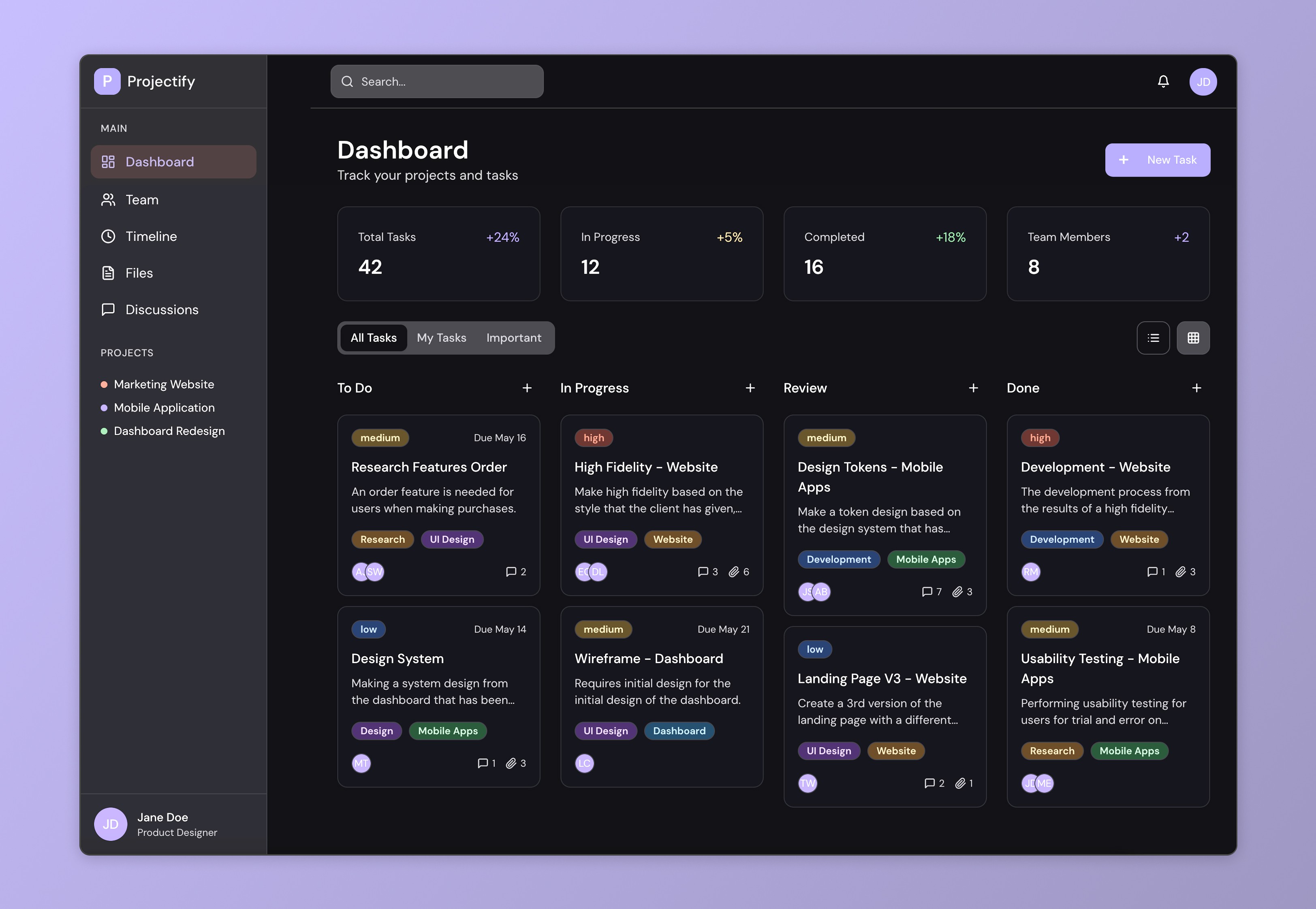
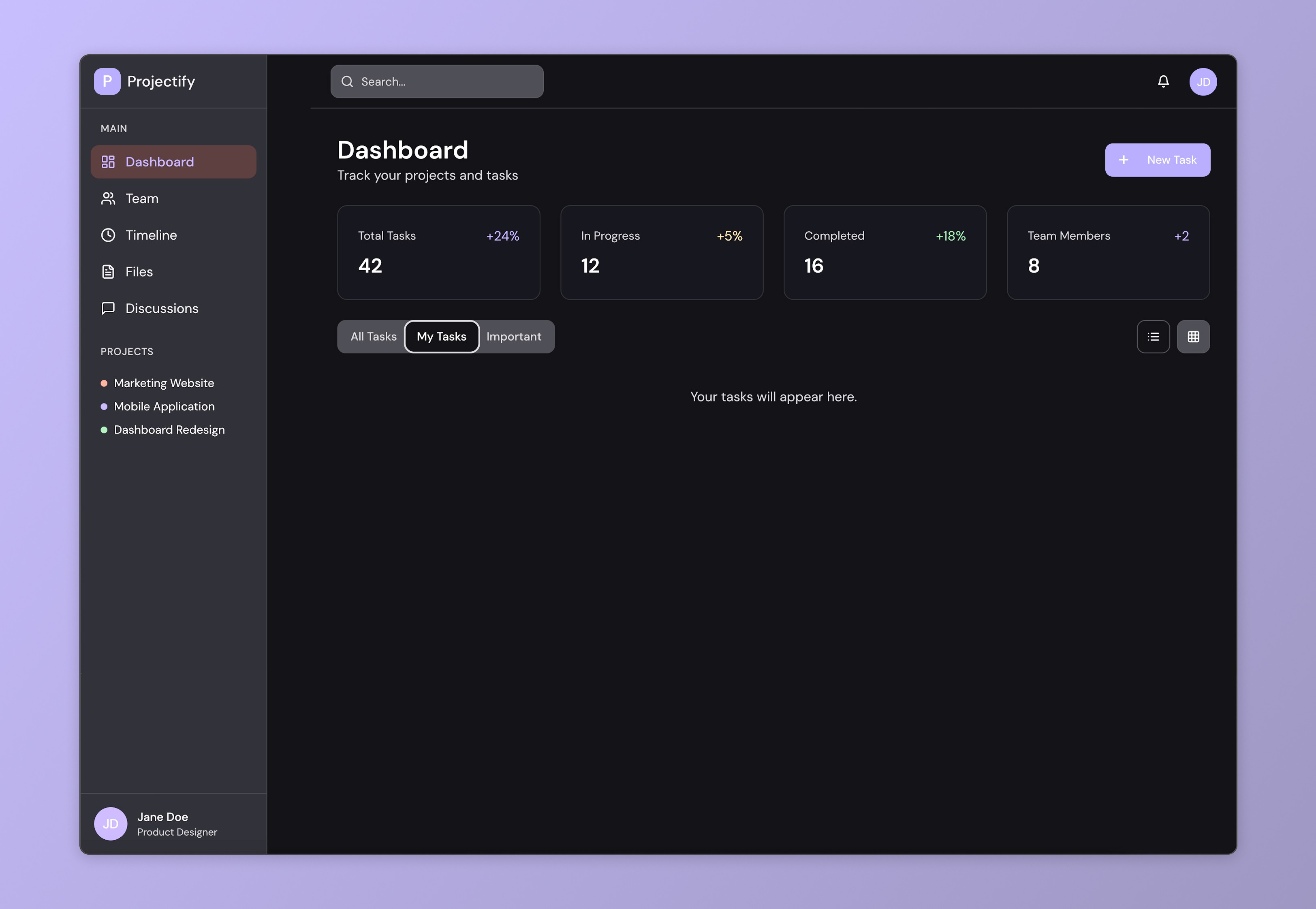
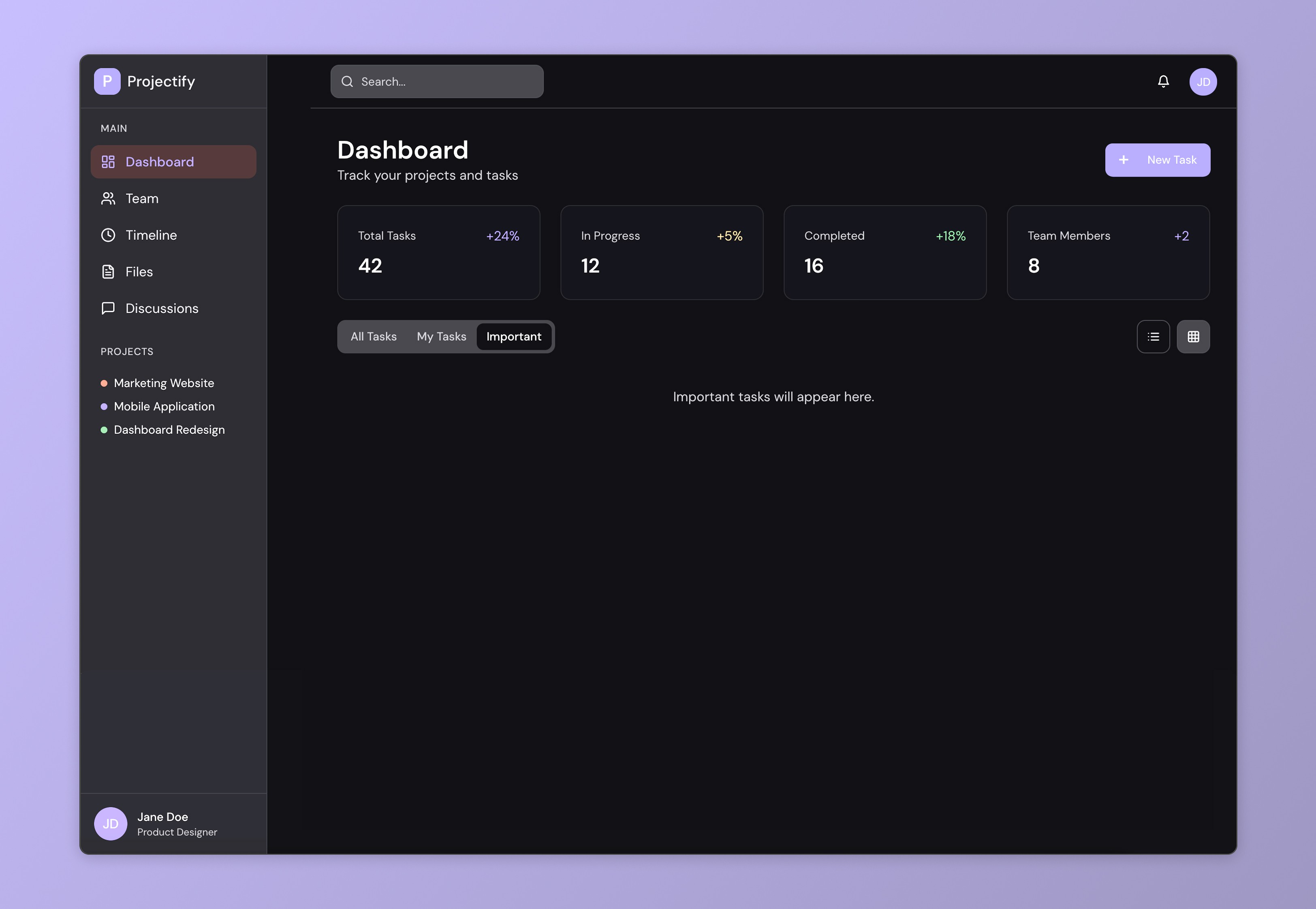
The dashboard was the core of the redesign and the most complex screen in terms of functionality and user expectations. It includes three key views: All Tasks, My Tasks, and Important. The challenge was to organize large volumes of task data in a way that supports both daily execution and high-level planning.
The dashboard was the core of the redesign and the most complex screen in terms of functionality and user expectations. It includes three key views: All Tasks, My Tasks, and Important. The challenge was to organize large volumes of task data in a way that supports both daily execution and high-level planning.
The dashboard was the core of the redesign and the most complex screen in terms of functionality and user expectations. It includes three key views: All Tasks, My Tasks, and Important. The challenge was to organize large volumes of task data in a way that supports both daily execution and high-level planning.
Timeline
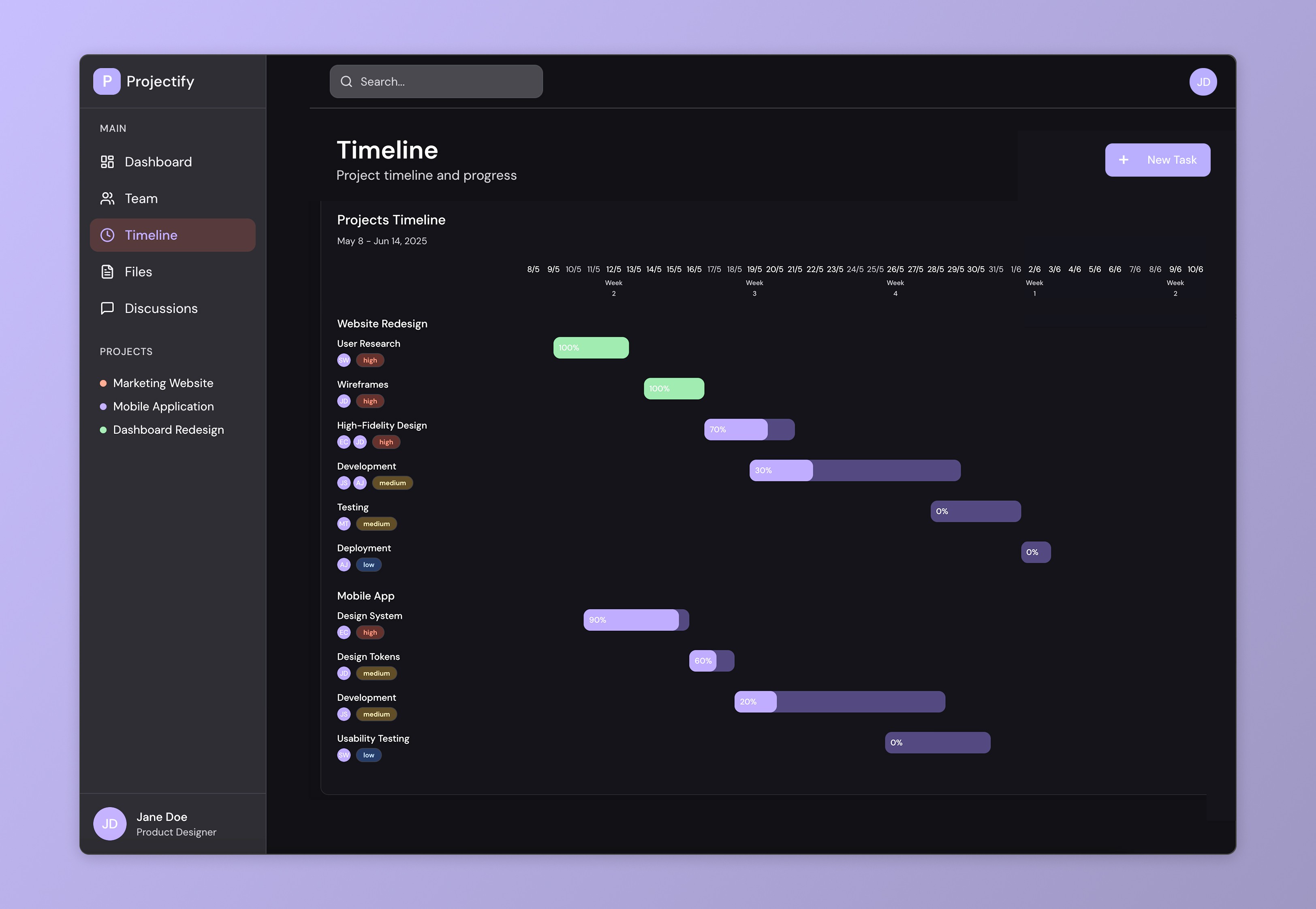
The timeline screen serves as a high-level visual representation of project progress. It was redesigned to improve readability and give users a better sense of how tasks align over time.
The timeline screen serves as a high-level visual representation of project progress. It was redesigned to improve readability and give users a better sense of how tasks align over time.
The timeline screen serves as a high-level visual representation of project progress. It was redesigned to improve readability and give users a better sense of how tasks align over time.
Team, Files, Dicussion
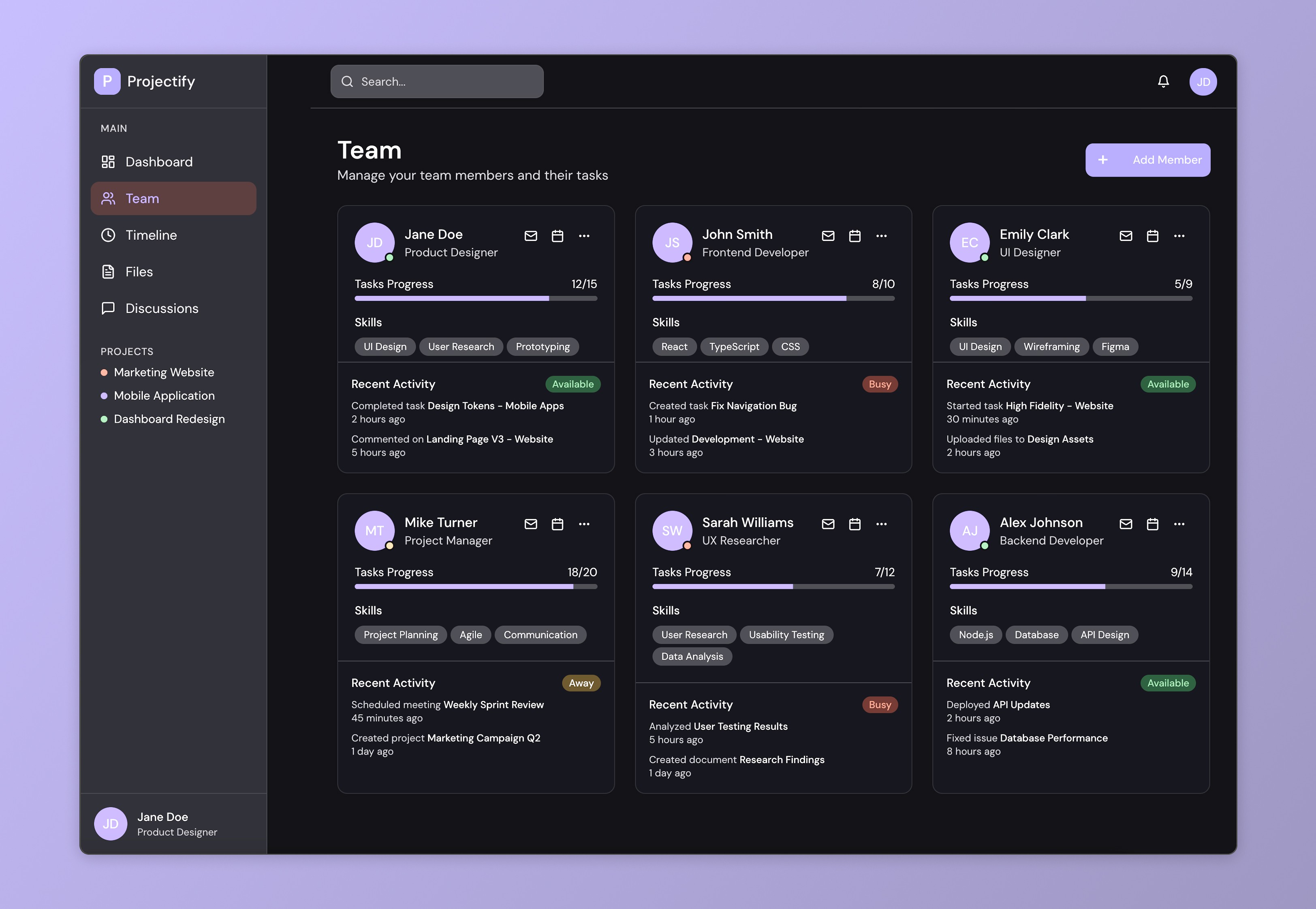
Secondary screens were redesigned to match the new dashboard visually and improve overall usability. The Team screen now offers a cleaner overview of members, their roles, and availability, with subtle UX touches like status indicators and streamlined actions for easier collaboration.
Secondary screens were redesigned to match the new dashboard visually and improve overall usability. The Team screen now offers a cleaner overview of members, their roles, and availability, with subtle UX touches like status indicators and streamlined actions for easier collaboration.
Secondary screens were redesigned to match the new dashboard visually and improve overall usability. The Team screen now offers a cleaner overview of members, their roles, and availability, with subtle UX touches like status indicators and streamlined actions for easier collaboration.
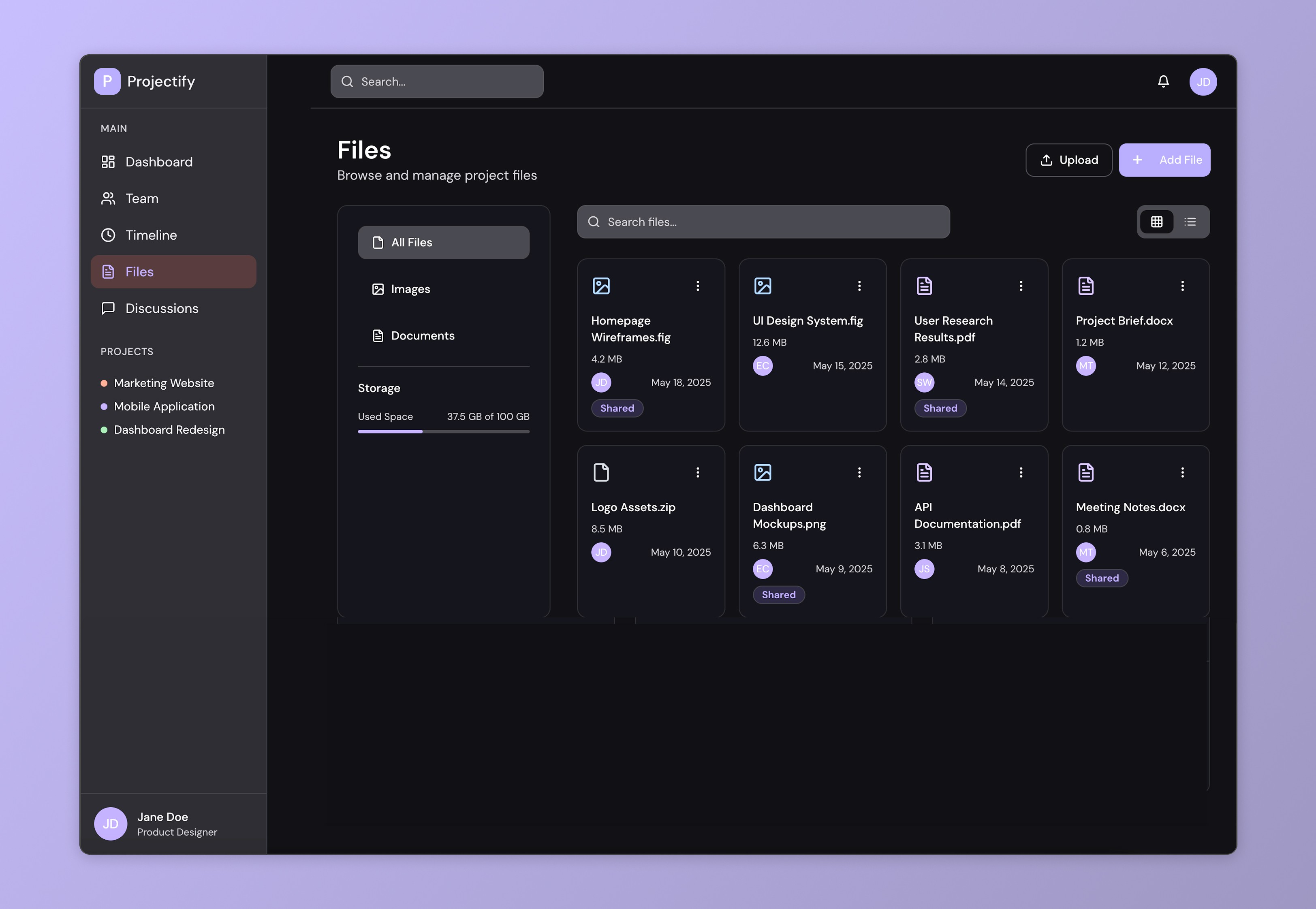
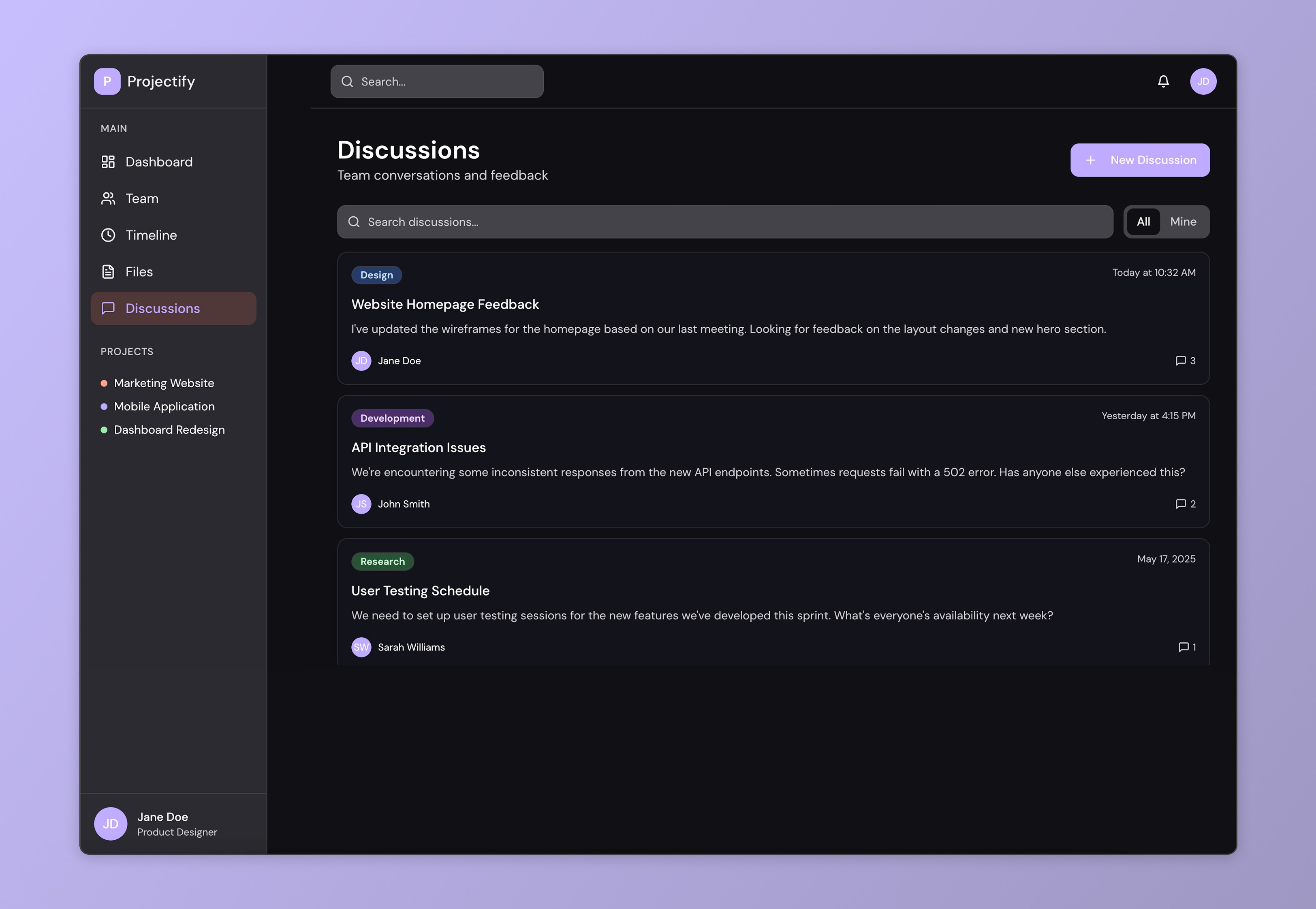
The Files section was restructured to simplify navigation and file management through a clearer folder system, improved metadata, and quick previews. The Discussions interface was refined to support focused communication, with cleaner threads, better visibility for mentions and unread messages, and a more comfortable writing experience.
The Files section was restructured to simplify navigation and file management through a clearer folder system, improved metadata, and quick previews. The Discussions interface was refined to support focused communication, with cleaner threads, better visibility for mentions and unread messages, and a more comfortable writing experience.
The Files section was restructured to simplify navigation and file management through a clearer folder system, improved metadata, and quick previews. The Discussions interface was refined to support focused communication, with cleaner threads, better visibility for mentions and unread messages, and a more comfortable writing experience.
Outcome
Outcome
The redesigned dashboard significantly improved user engagement and task visibility. After launch, the client reported a noticeable reduction in onboarding time for new users and an increase in daily active usage, especially within the “My Tasks” and “Important” tabs. The updated structure brought clarity to workflows without disrupting the habits of long-time users. Internally, the team noted that the visual hierarchy and clearer prioritization of content made project tracking more intuitive. The visual refresh also gave the product a more modern and credible feel—aligning it with current UI standards and boosting stakeholder confidence.
The redesigned dashboard significantly improved user engagement and task visibility. After launch, the client reported a noticeable reduction in onboarding time for new users and an increase in daily active usage, especially within the “My Tasks” and “Important” tabs. The updated structure brought clarity to workflows without disrupting the habits of long-time users. Internally, the team noted that the visual hierarchy and clearer prioritization of content made project tracking more intuitive. The visual refresh also gave the product a more modern and credible feel—aligning it with current UI standards and boosting stakeholder confidence.
The redesigned dashboard significantly improved user engagement and task visibility. After launch, the client reported a noticeable reduction in onboarding time for new users and an increase in daily active usage, especially within the “My Tasks” and “Important” tabs. The updated structure brought clarity to workflows without disrupting the habits of long-time users. Internally, the team noted that the visual hierarchy and clearer prioritization of content made project tracking more intuitive. The visual refresh also gave the product a more modern and credible feel—aligning it with current UI standards and boosting stakeholder confidence.
Next steps
Following the success of the redesign, the next phase involves continuing refinement based on real user feedback. We're planning to conduct usability testing sessions with larger team cohorts to validate edge cases and uncover additional friction points in less common workflows.
Following the success of the redesign, the next phase involves continuing refinement based on real user feedback. We're planning to conduct usability testing sessions with larger team cohorts to validate edge cases and uncover additional friction points in less common workflows.
Following the success of the redesign, the next phase involves continuing refinement based on real user feedback. We're planning to conduct usability testing sessions with larger team cohorts to validate edge cases and uncover additional friction points in less common workflows.